Insta360 Flow 2 Pro: Tracking, Specs and Buying Guide
Affiliate disclosure: As an Amazon Associate I earn from qualifying purchases. Product links marked as paid may generate a commission at no extra cost to you.
Insta360 Flow 2 Pro is a three-axis smartphone gimbal introduced in January 2025. The original article incorrectly called it “Flow Pro 2.” This updated guide uses the manufacturer’s product name and separates independently documented specifications from hands-on observations. GoGimbals has not supplied a verified field-test log for this model, so the discussion below is a researched buying guide, not a laboratory or personal test report.
Quick verdict: who should consider the Flow 2 Pro?
Product listing: Check Insta360 Flow 2 Pro Stone Gray on Amazon (paid link). Confirm the bundle and seller before ordering; availability and prices are not guaranteed.
The Flow 2 Pro is worth evaluating if you use an iPhone for self-filming, presentations, walking footage or video calls and value Apple DockKit camera tracking. It also supports Android through the Insta360 app, although features vary by phone and app. The primary drawback is the complexity of software compatibility: a tracking feature advertised on the box may work differently in the native Camera app, a third-party app and the Insta360 app. Check the specific phone-and-app combination before buying.
If you already own a recent gimbal, a new purchase is not automatically necessary. Consider whether continuous pan, built-in tripod and extension rod, and camera-tracking integration solve a genuine limitation in your current setup. For a broader comparison, see our smartphone gimbal buying guide and iPhone gimbal guide. Their individual product recommendations are being updated separately.
For the practical differences between the two flagship tracking workflows, our DJI Osmo Mobile 8 versus Flow 2 Pro comparison examines phone fit, Apple DockKit and manufacturer-app tracking without claiming unverified hands-on results.
Verified Flow 2 Pro specifications
| Specification | Manufacturer-published detail | Why it matters |
|---|---|---|
| Gimbal weight | Approx. 357 g, plus 25 g clamp | A modest addition to a handheld filming kit |
| Supported phone width | 64–84 mm | Check device and case dimensions |
| Supported phone thickness | 6.9–10 mm | Bulky cases may not fit |
| Supported phone weight | 130–300 g | Verify a larger phone with its case |
| Battery runtime | Up to 10 hours under specified lab conditions | Continuous tracking and movement can reduce runtime |
| Charging | Approx. 2 hours with 5V/2A supply | USB-C charging |
| Extension rod | 210 mm built-in selfie stick | More camera positions without a separate accessory |
| Pan movement | 360° continuous rotation | Useful for orbit and subject-following shots |
These are manufacturer specifications, not measurements produced by GoGimbals. Insta360’s claimed battery runtime is measured with a balanced gimbal at room temperature and the tracking ring light off. Its own compatibility documentation should take precedence over generalized retailer listings: official specifications and phone compatibility.
Mechanical stabilization versus electronic stabilization
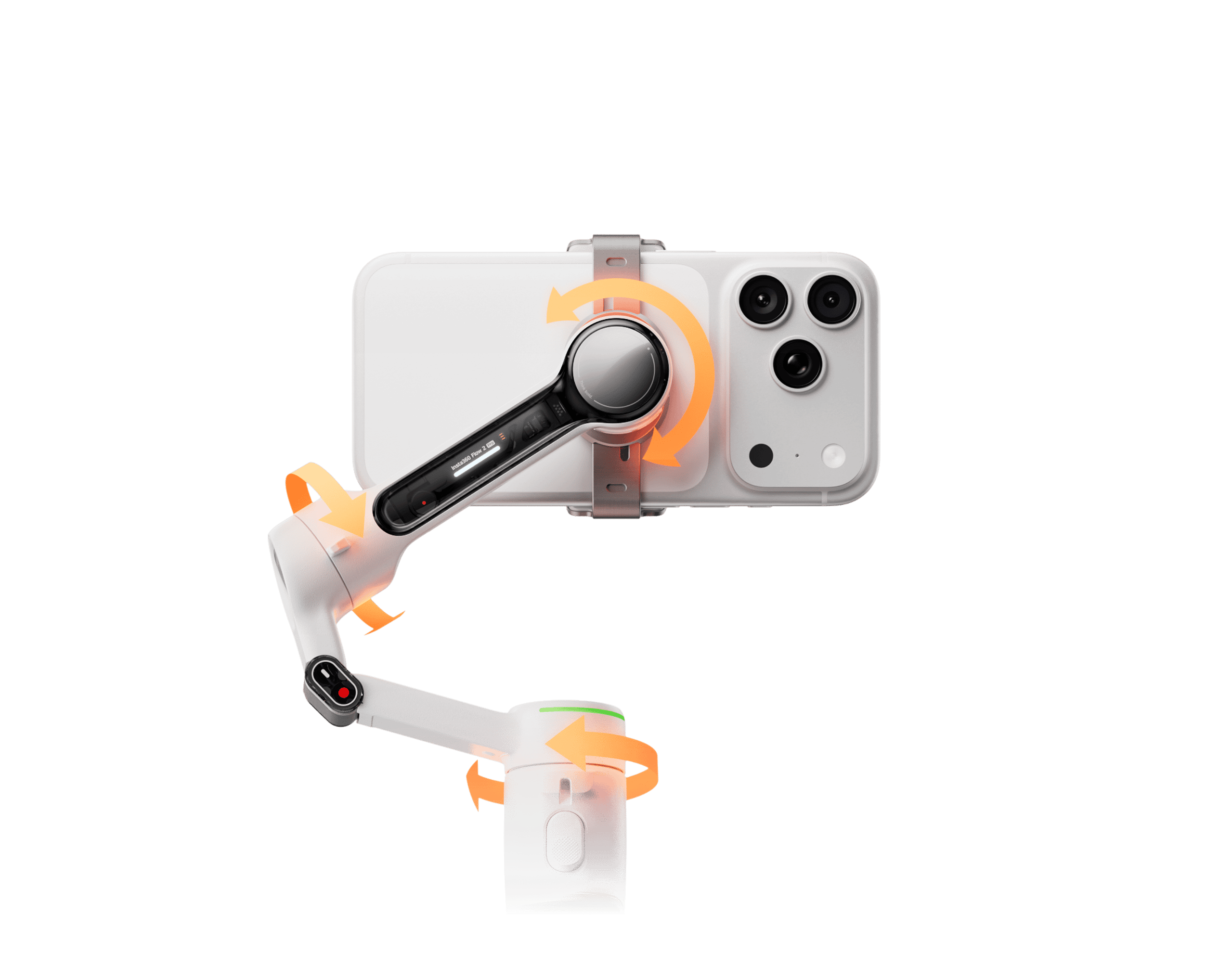
Manufacturer diagram showing the three axes of mechanical stabilization. Image: Insta360.
A gimbal uses motors and sensors to adjust the phone’s orientation along pan, tilt and roll axes. This can reduce the visible rotation and uneven framing that occur when the operator walks or changes direction. It does not eliminate all up-and-down translation from footsteps, repair missed focus or overcome the limits of a phone camera’s exposure. In-phone optical/electronic stabilization and a motorized gimbal can complement one another, but results still depend on framing and movement.
For smoother walking footage, use moderate movements and allow room for subject tracking rather than expecting the gimbal to cancel every bump. Our gimbal walking techniques guide explains the general principles. An external microphone and controlled light may improve a vlog more than another stabilization accessory.
Apple DockKit tracking and the Insta360 app are not the same
DockKit on compatible iPhones
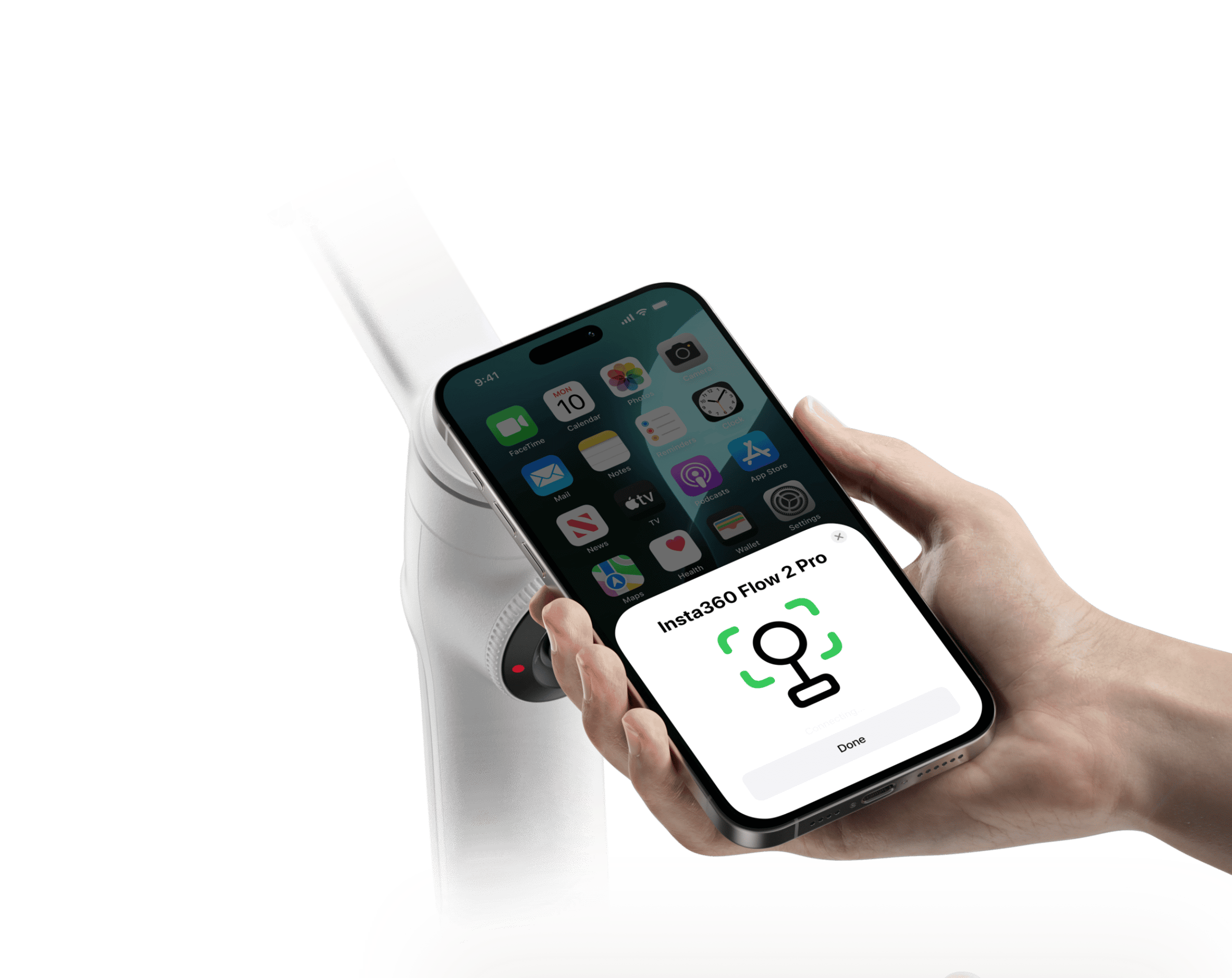
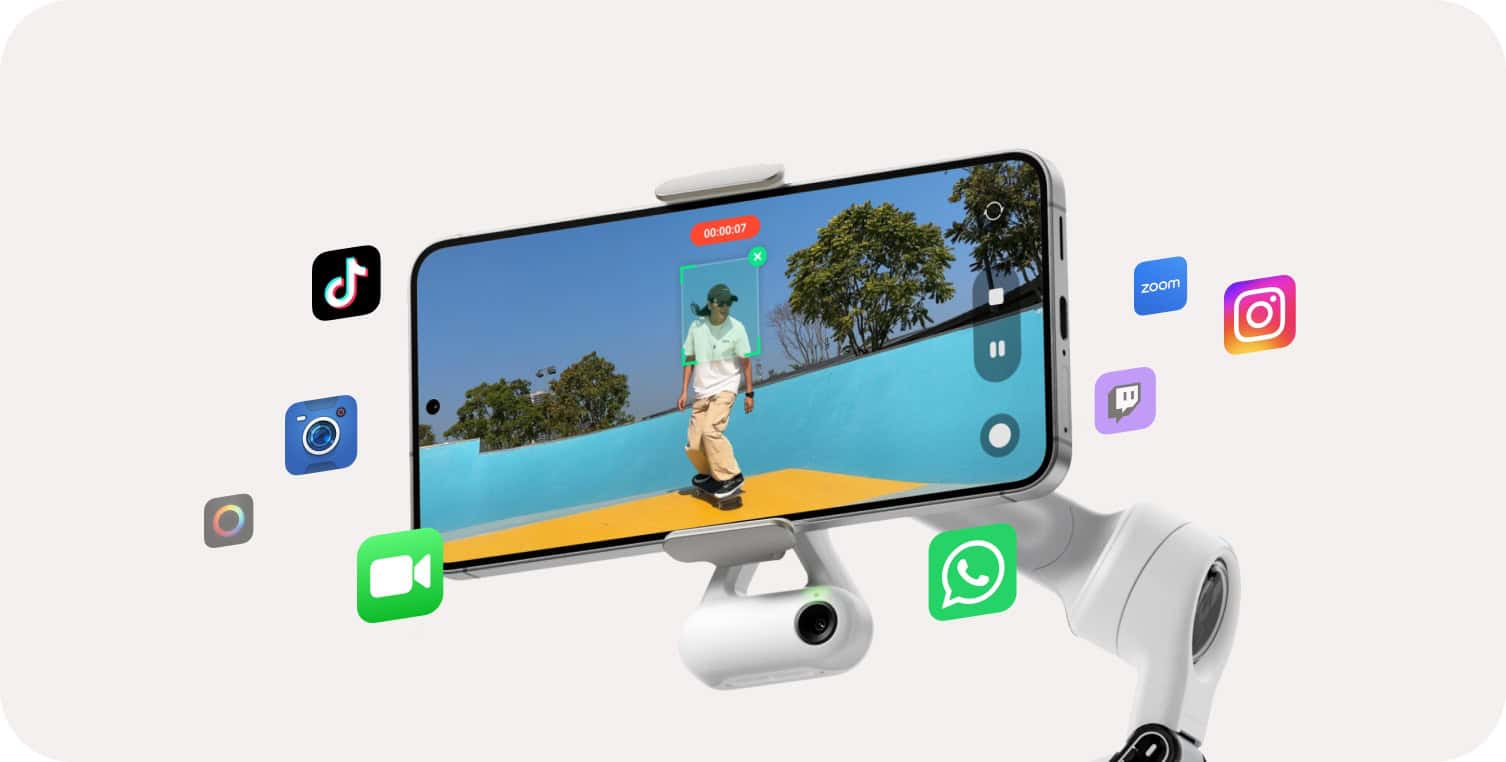
Illustration of phone pairing with Flow 2 Pro. Image: Insta360.
Insta360 documents Apple DockKit support for iPhone 12 or later with iOS 17 or higher, with iOS 18 or newer recommended. DockKit lets the gimbal track a person in Apple’s Camera app and selected compatible apps. It is not a blanket guarantee that every iOS video app supports tracking or that every camera mode behaves identically. Confirm current app support using the official DockKit guidance.
Deep Track 4.0 through Insta360
The Insta360 app provides Deep Track 4.0 and additional shooting controls. Insta360 distinguishes this system from DockKit and from the optional AI Tracker accessory. Tracking can behave differently for people, animals and objects; the company’s own tracking comparison is useful for seeing which methods work in a particular scenario. App updates can change supported features, so verify before relying on a workflow for paid filming.
iPhone versus Android compatibility
The gimbal physically supports many phones in its stated weight and dimension range. Software is the bigger differentiator. iPhone users can use the combination of DockKit and the Insta360 app when their device and software qualify; Android users should expect Insta360-app tracking and should check whether their particular handset supports each feature. NFC pairing, lens switching, video resolution, and third-party-app control must not be assumed to work universally across every model.
- Before purchase: look up your exact phone and operating-system version on Insta360’s compatibility list.
- With a case: check the combined weight and clamp clearance, not just the phone’s bare dimensions.
- For livestreaming: confirm whether your chosen streaming app supports DockKit, Insta360 Live Mode or neither.
- For Android: prioritize verified app compatibility over advertising aimed primarily at iPhone owners.
Battery, balance and long recording sessions
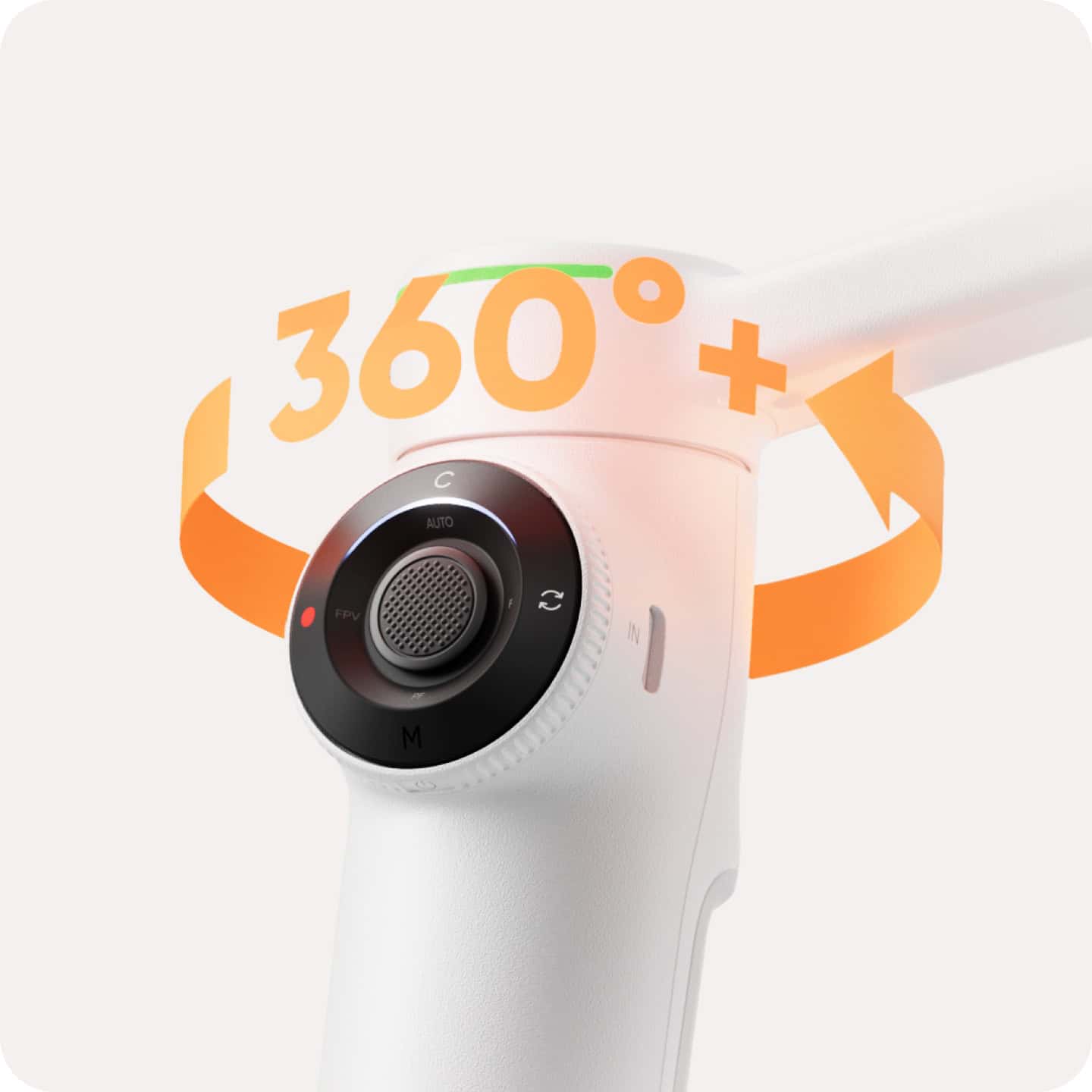
Manufacturer view of 360-degree pan operation. Image: Insta360.
The 10-hour manufacturer claim is a best-case reference, not a promise for continuous moving shots with tracking. Heavier phones, frequent motor corrections, phone charging and lighting features can change practical endurance. Start long recording sessions with a charged gimbal and phone; compare a short trial recording with your intended session length. Proper mechanical balance can also reduce avoidable motor effort.
The built-in extension rod and tripod make stationary self-recording convenient, but a compact tripod is not a substitute for a stable, supervised support surface. Use it where it cannot tip or obstruct other people. Fold the gimbal for transport rather than carrying a phone loosely in an unfolded clamp.
Flow 2 Pro versus DJI Osmo Mobile 8
DJI’s Osmo Mobile 8 is another current comparison point. DJI publishes a supported phone weight of 170–300 g, a phone-width range of 67–84 mm, 360° pan rotation and up to 10 hours under specified balanced conditions. DJI also notes that tracking and fill-light use can shorten the operating time. Those published numbers are comparable on paper, but do not establish which system delivers better stabilization in real footage. The decisive differences may be app ecosystem, controls, phone fit and accessories. Consult DJI’s official specification sheet rather than treating older DJI Osmo Mobile 6 comparisons as current.
| Question | Insta360 Flow 2 Pro | DJI Osmo Mobile 8 |
|---|---|---|
| Supported phone weight | 130–300 g | 170–300 g |
| Continuous pan | Yes | Yes |
| Quoted maximum runtime | Up to 10 hours | Up to 10 hours |
| Main software approach | Insta360 app; DockKit for qualifying iPhones | DJI Mimo; compatible DJI tracking accessories |
| Buying decision | Check DockKit/app support | Check Mimo/app and accessory support |
What the Flow 2 Pro does well—and its compromises
Reasons to consider it
- A compact, folding design with integrated extension rod and tripod.
- Published 360° continuous pan movement for creative camera positioning.
- DockKit integration for qualifying iPhones and supported apps.
- A published phone-weight range that accommodates many current phones.
Reasons to hesitate
- Not all phone-and-app combinations support the same tracking and camera controls.
- The advertised maximum runtime will not match every real-world workload.
- A gimbal cannot compensate for poor audio, low light or every vertical jolt.
- There is no GoGimbals side-by-side field-test dataset supporting a numerical performance ranking.
Buying checklist and frequently asked questions
Moving from an older model such as the MOZA Mini-S smartphone gimbal? Check whether your present phone, apps and filming workflow already work reliably before upgrading solely for advertised tracking features. Our Mini-S article explains the trade-offs of legacy hardware.
Does Flow 2 Pro work with Android?
The mechanical gimbal and Insta360 app support compatible Android devices, but the Apple DockKit feature is iPhone-specific. Use Insta360’s phone list for precise Android functionality.
Can it follow pets or objects?
Insta360 distinguishes person-focused DockKit tracking from the company’s app-based Deep Track features. Check the particular tracking mode before making a purchase primarily for pets or objects.
Is ten hours guaranteed?
No. It is a manufacturer-stated endurance figure under controlled conditions. Actual runtime depends on the phone, balancing, camera movement, tracking, accessory use and temperature.
Is it worth upgrading from the earlier Flow Pro?
Upgrade only if you need a specific capability absent from your existing gimbal, such as a particular movement range or workflow. Compare the exact models and confirm which functions your phone supports. A working earlier model may already cover ordinary walking and talking-head shots.
Editorial methodology and sources
This page is a specification-led editorial guide. GoGimbals used the official Insta360 specification, compatibility and tracking documents, alongside DJI’s official specification sheet for comparison. Product prices and availability can change; no current price or unpublished lab score is claimed here. Independent hands-on footage, measurements and original model photographs should be added only when available. For additional context see our explanation of three-axis stabilization.