DJI Osmo Mobile 8 vs Insta360 Flow 2 Pro: Tracking and Compatibility
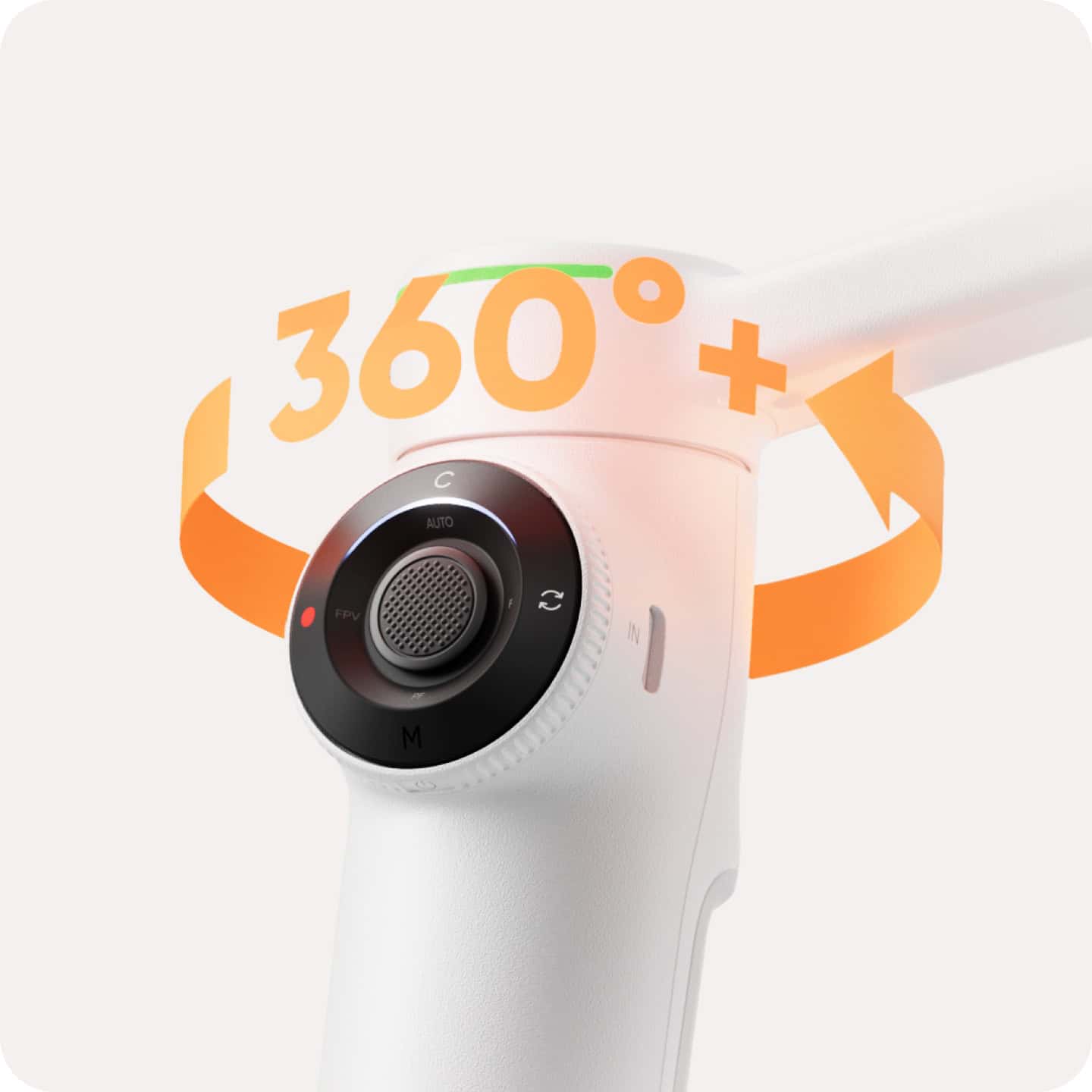
DJI Osmo Mobile 8 or Insta360 Flow 2 Pro? Both are three-axis smartphone gimbals with a continuous 360-degree pan capability, integrated extension supports, compatible automated tracking and Apple DockKit features on qualifying iPhones. The most useful differences involve phone fit, the camera app you plan to record in, how tracking is enabled, and the battery conditions behind the marketing figures. This is a specification-led comparison—not a claim that we tested them side by side or that one will produce universally better footage.
This is a two-model comparison with a deliberately narrow purpose. For a broader category survey, visit our iPhone gimbal buying guide. For a detailed explanation of Insta360’s design and software, read our Flow 2 Pro guide.
At a glance: specifications that affect fit and workflow
| Published specification | DJI Osmo Mobile 8 | Insta360 Flow 2 Pro |
|---|---|---|
| Supported phone mass | 170–300 g | 130–300 g |
| Supported phone width | 67–84 mm | 64–84 mm |
| Supported phone thickness | 6.9–10 mm | 6.9–10 mm |
| Continuous pan | 360 degrees | 360 degrees |
| Built-in extension rod | Up to 215 mm | 210 mm |
| Published equipment weight | Approx. 370 g including the clamp, built-in tripod and multifunctional module | Approx. 357 g gimbal plus 25 g clamp |
| Advertised maximum runtime | About 10 hours, balanced and stationary, without additional accessories | About 10 hours under the maker’s balanced test conditions |
| iPhone DockKit tracking | Supported on qualifying iPhones with iOS 18.5+ under DJI’s conditions | Supported on qualifying iPhones with iOS 17+ under Insta360’s conditions |
| Manufacturer app | DJI Mimo / ActiveTrack | Insta360 app / Deep Track |
These are manufacturer figures from DJI’s official specifications and Insta360’s official specification page. Equipment-weight measurements use different accessory inclusions, so subtracting one published weight from the other would not be an apples-to-apples carrying-weight comparison. Weight ranges also refer to the actual supported phone load—not automatically to a bare phone without its case.
Phone fit: the first reason one model may work better
DJI publishes support for phones weighing 170–300 g and measuring 67–84 mm wide. Insta360 lists 130–300 g and 64–84 mm. Both give a thickness range of 6.9–10 mm. Those lower thresholds matter for small or lightweight phones, while the shared 300 g upper weight limit means neither should be assumed compatible with an unusually heavy setup.
Measure and weigh the phone with the case and any manufacturer-approved attachments you intend to use. Camera bumps and center of gravity also affect balancing. Fit is not the same as app compatibility: a phone that clamps securely may not support every tracking, zoom or camera-control function. Check the precise handset in DJI’s support information or Insta360’s phone compatibility guidance.
Apple DockKit: both support it, but the details differ
An important update to older online comparisons: Osmo Mobile 8 also supports Apple DockKit. DockKit can allow supported iOS camera applications to work with motorized subject tracking without relying on a manufacturer’s dedicated recording app for every shot. It does not guarantee that every app exposes identical controls or works on every iPhone generation.
DJI’s published DockKit instructions require an iPhone 12 or later (with specified exclusions) on iOS 18.5 or later. DJI also notes that use in supported native and third-party recording applications can differ from behavior in DJI Mimo. Insta360’s documentation describes DockKit support on qualifying iPhone 12-and-later handsets with iOS 17 or later, with its own software requirements and limitations. Check both official lists at the time you purchase because software support can change.
Sources: DJI’s Osmo Mobile 8 beginner guide, including DockKit requirements and Insta360 device compatibility. The “both support DockKit” point is a particularly important distinction for anyone relying on a native iPhone recording workflow.
Proprietary tracking is a different decision
DJI Mimo’s ActiveTrack functions are not the same technology as DockKit, even though both can help keep a subject framed. DJI’s multifunctional module supports a separate set of tracking and light/audio features. The model’s compatibility documentation also indicates support for certain pet tracking features with the correct module. Insta360’s Deep Track functions likewise operate inside the manufacturer’s app with features that differ from DockKit. The best choice depends on where you record, not simply which box advertises “AI tracking.”
If you film in a particular third-party app, the right research question is whether that app and phone support the intended tracking path. If the DJI or Insta360 app is acceptable, compare its subject controls, phone-camera access and editing workflow. Do not infer that a demonstration of one tracking mode proves support across all lenses, apps and phone models.
Battery claims: why the conditions matter
Both manufacturers advertise a maximum of about 10 hours, but actual conditions can differ greatly. DJI states that its figure is measured with the gimbal balanced, level and stationary without additional accessories. With the multifunctional module’s tracking activated, DJI estimates about five hours without fill lighting and roughly four hours with the light at maximum output. Charging the phone from the gimbal can shorten runtime further.
Insta360 describes a 10-hour reference under balanced conditions at approximately room temperature with the tracking ring light off. That is not a guarantee for continuous tracking, camera charging or complex movement. If your workflow requires long uninterrupted recording, compare the feature-enabled battery conditions rather than treating the same headline number as evidence of identical endurance.
What about the built-in tripod and extension rod?
DJI’s stated extension length is up to 215 mm, versus 210 mm on the Flow 2 Pro. That small specification difference should not determine most purchases. The real questions are how conveniently the support positions the camera for the intended shot, whether the surface is level and stable, and whether you need a separate fixed support for longer recording.
Neither a small built-in tripod nor a motorized gimbal is a substitute for an appropriately stable setup when filming a fixed subject. For product videos, interviews or desk demonstrations, a traditional tripod may provide more predictable framing. Our handheld gimbal benefits overview and three-axis explainer cover those basic trade-offs.
Which one makes more sense for different creators?
For creators who already use DJI Mimo
Osmo Mobile 8 is worth evaluating if you value DJI’s recording and tracking interface and its supported module accessories. Verify exactly which functions need the module or a specific iOS version. The physical clamp and camera control still need to match your handset.
For creators who use Insta360 tracking
Flow 2 Pro is an appropriate candidate when its supported phone size, Deep Track controls and app workflow fit the task. Its lower published minimum phone mass can matter for smaller devices. DockKit offers another route on qualifying iPhones, but that should be tested for the exact apps relied on.
For Android phone users
Do not compare the products solely through Apple DockKit advertisements. Android support depends on the manufacturer’s app, phone-specific compatibility and available camera controls. Confirm the exact phone model and functions needed rather than treating Android as one universal recording platform. Our smartphone gimbal guide provides a broader starting point.
For mostly stationary product videos
A sturdy support, good light and intelligible narration may improve the result more than either handheld motorized gimbal. Purchase tracking features only if the scene genuinely benefits from them. A simple filming plan may also make postproduction faster.
Buyer checklist: five questions before spending
- Does the complete phone fit the published width, thickness and weight range?
- Will the precise recording app support the tracking mode you want—DockKit, DJI ActiveTrack, or Insta360 Deep Track?
- Are any relevant accessories, such as a multifunctional module, included in the actual retail bundle?
- Does the battery estimate reflect the same tracking, lighting and charging use you expect?
- Would better lighting, audio or a stationary camera support solve the filming problem more directly?
Frequently asked questions
Does only the Insta360 Flow 2 Pro support DockKit?
No. DJI explicitly documents Apple DockKit support on Osmo Mobile 8 as well, with its own iPhone and iOS requirements.
Does physical phone compatibility guarantee tracking?
No. Clamp dimensions and software compatibility are separate checks. A supported mechanical mount does not establish every app feature.
Is a ten-hour battery claim realistic with tracking enabled?
It may be shorter. DJI itself publishes substantially reduced figures for tracking with its multifunctional module, especially with maximum fill lighting.
Which gimbal produces better stabilized video?
There is no responsibly verified winner in this article. We have compared official capabilities and constraints, not controlled identical footage, so the decision should follow your supported filming workflow.
Editorial sources and product disclosure
Primary documentation: DJI specifications, DJI support, DJI DockKit guidance, Insta360 specifications and Insta360 compatibility notes. Featured photograph by Priyansh Dwivedi / Unsplash. This comparison contains no personal side-by-side performance measurements or current product price claims.