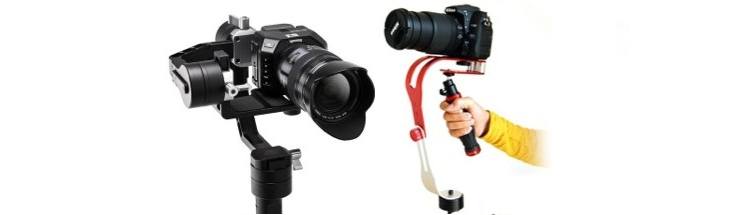
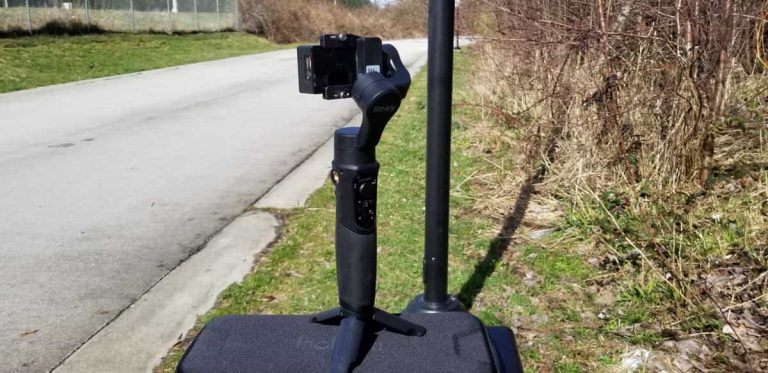
Best Gimbal for iPhone: Reviews and Buying Guide
Affiliate disclosure: As an Amazon Associate I earn from qualifying purchases. Product links marked as paid may generate a commission at no extra cost to you.
Choosing an iPhone gimbal is a compatibility decision, not a popularity contest. The models compared here include Insta360 Flow 2 Pro, DJI Osmo Mobile 8 and the still-useful specifications of older DJI and Zhiyun equipment. Unlike the original GoGimbals ranking, this updated guide does not claim every older product remains in stock or that unspecified models were personally tested. It gives buyers practical reasons to choose one ecosystem over another and clear reasons to avoid an unnecessary upgrade.
The quick recommendation by filming style
| What you want to film | A suitable product category | Most important verification |
|---|---|---|
| Self-filming on a compatible iPhone with native-camera tracking | Insta360 Flow 2 Pro with Apple DockKit | iPhone model, iOS version and chosen app support |
| General smartphone filming with DJI Mimo controls | DJI Osmo Mobile 8 | Phone width/weight, Mimo functionality and tracking accessory compatibility |
| Simple handheld stabilization on a budget | Existing supported gimbal, including some older models | Battery condition, complete phone fit and current app support |
| Mostly static interviews or product demonstrations | Tripod plus good sound and lighting | Whether motorized tracking is needed at all |
Insta360 Flow 2 Pro: strong iPhone integration, but check the app
Insta360 specifies a compatible phone weight of 130–300 g, width of 64–84 mm and thickness of 6.9–10 mm. The Flow 2 Pro weighs approximately 357 g without its approximately 25 g phone clamp, includes a 210 mm extension rod, supports continuous 360-degree pan and is advertised for up to 10 hours under controlled test conditions. Its main differentiator for iPhone owners is Apple DockKit compatibility. Insta360 states DockKit requires iPhone 12 or newer on iOS 17 or later, with iOS 18 or newer recommended.
DockKit is not a promise that every app supports the same tracking and camera functions. Deep Track inside the Insta360 app is a separate technology with its own controls. If you depend on livestreaming, third-party recording or a particular lens, check that complete workflow first. Sources: Insta360 specifications and official compatibility guidance. Our Flow 2 Pro detailed guide explains the tracking distinctions.
Who gets the most value?
Creators who record themselves and explicitly need supported Apple camera-tracking workflows may benefit. Someone who makes only stationary clips or already has reliable framing may not. The extra tracking controls should be evaluated against the software actually used, not simply the advertised feature list.
DJI Osmo Mobile 8: flexible controls and DJI’s ecosystem
DJI specifies a supported phone weight of 170–300 g, width of 67–84 mm and thickness of 6.9–10 mm. It includes a built-in extension rod and a 360-degree continuous pan capability. The manufacturer quotes up to 10 hours of operation with a balanced, stationary gimbal and no additional accessories. With intelligent tracking active, DJI estimates around five hours without the fill light, and around four hours with the fill light at maximum brightness. Those conditions matter more than the headline maximum.
The Osmo Mobile 8 is particularly relevant if you prefer DJI Mimo and compatible tracking accessories. Buyers should verify camera-app functionality, phone model and supported features; physical fit does not ensure that every app’s zoom, tracking or video setting is supported. Refer to DJI’s official Osmo Mobile 8 specifications.
Reasons to choose it—and reasons to pause
The equipment makes sense for users who value DJI’s camera-control approach, adjustable framing and its integrated support features. It is less attractive if your phone does not meet the clamp limits, your chosen app is unsupported, or the camera’s existing stabilization already meets your needs. Do not interpret DJI’s maximum runtime as an unconditional promise.
Flow 2 Pro versus Osmo Mobile 8: the numbers
Compare current product listings: Insta360 Flow 2 Pro Stone Gray on Amazon (paid link) and DJI Osmo Mobile 8 on Amazon (paid link). Check the exact bundle, compatibility and current seller.
| Specification | Insta360 Flow 2 Pro | DJI Osmo Mobile 8 |
|---|---|---|
| Compatible phone mass | 130–300 g | 170–300 g |
| Phone width | 64–84 mm | 67–84 mm |
| Phone thickness | 6.9–10 mm | 6.9–10 mm |
| Continuous pan | 360 degrees | 360 degrees |
| Maximum quoted runtime | Up to 10 hours under lab conditions | Up to 10 hours under lab conditions |
| Tracking focus | DockKit on qualifying iPhones; Insta360 app tracking | DJI software and compatible tracking module |
These manufacturer figures help rule out incompatible setups; they do not establish that one gimbal produces objectively better footage. Image quality still comes from the phone’s camera and the way a scene is recorded. An appropriate microphone, light or stable support may be a more useful upgrade than moving between two similar gimbals.
Older DJI Osmo Mobile 6 and OM 5: still worth understanding
An older DJI gimbal is not automatically unsuitable. For example, the Osmo Mobile 6 has published support for phones weighing 170–290 g, width 67–84 mm and thickness 6.9–10 mm, with an advertised runtime of roughly 6 hours and 24 minutes under ideal balanced conditions. Compare those figures with your actual iPhone and case, then check that DJI Mimo remains compatible with your current software. Source: DJI Osmo Mobile 6 specifications.
The older OM 5 may still be adequate for a creator who needs basic stabilization and a compatible app. What matters is the specific model, condition, battery performance and whether your preferred control functions work with your software. This is why an archived bargain should not be treated as equivalent to a currently supported model solely because both are described as “three-axis.”
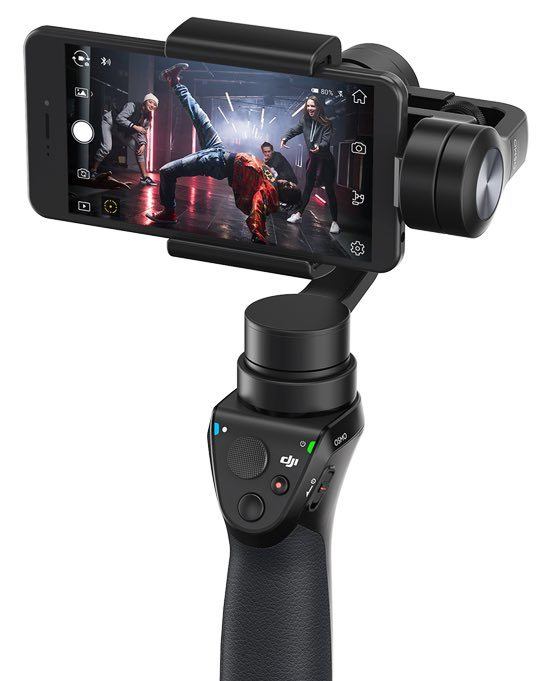
Older Zhiyun Smooth-Q and other legacy smartphone gimbals
The original Zhiyun Smooth-Q is another older device that may appear in a second-hand listing. Its historic reviews can illustrate how motorized phone stabilization developed, but they cannot predict contemporary app compatibility. Before considering an older model, verify the original manufacturer’s allowed phone dimensions, operating-system support and battery condition. An inexpensive gimbal that no longer works with your usual recording app can be an expensive inconvenience.
How to check your own iPhone before spending money
- Weigh the phone with its case: advertised limits normally concern the mounted load, not the bare handset.
- Measure width and thickness: camera bumps and cases may affect clamp clearance.
- Check software: the iPhone/iOS version, camera app, tracking method and requested features must all be supported.
- Plan long recordings: battery runtime drops under particular tracking, lighting and charging conditions.
- Consider your existing equipment: a stable tripod, a good microphone or better lighting can create a larger improvement for stationary video.
Real-world compromises that specification charts miss
A gimbal can keep orientation steadier when someone turns or walks, but cannot remove the vertical rise and fall of walking, fix automatic focus problems or eliminate wind noise. Built-in extension rods and tripods are convenient for controlled positioning, but a lightweight support still needs a stable surface and supervision. Some apps crop or restrict camera modes during stabilization. Test the workflow you intend to use before relying on it for important recordings.
A compact kit is only convenient if it can be set up quickly. Consider phone balancing, how easily the clamp can be fitted, whether a separate tracking module is required, and how the accessories fit into the bag you already carry.
Common buying questions
Does every iPhone gimbal support Apple DockKit?
No. DockKit support is model- and app-specific. Insta360 documents it for the Flow 2 Pro under qualifying iPhone and iOS conditions. A basic three-axis gimbal can stabilize a phone without supporting DockKit.
Can I use an Android phone with a phone gimbal?
Often yes, subject to manufacturer model and software compatibility. The Apple DockKit feature itself is iPhone-specific; Android experiences should be checked against the relevant manufacturer’s app support list.
Is more battery capacity always better?
No. Battery comparisons should focus on documented operating conditions and the functionality you need. A motor, tracking accessory or phone charging function can change actual duration.
Should I replace an older working gimbal?
Only if there is a specific benefit you need and your phone or software no longer works satisfactorily with the earlier setup. Smooth footage is not a guaranteed result of purchasing a newer device.
Archived tracked listings and disclosure
Original Amazon links are retained as historical references with their tracking intact where available. Availability, seller and product generation are not verified live. GoGimbals may earn a commission from qualifying purchases; that does not change which compatibility limitations are described here.
- Archived smartphone gimbal listing 1 (verify exact model)
- Archived smartphone gimbal listing 3 (verify exact model)
- Archived smartphone gimbal listing 4 (verify exact model)
- Archived smartphone gimbal listing 5 (verify exact model)
- Archived smartphone gimbal listing 6 (verify exact model)
Sources and related guides
Official references: Insta360 Flow 2 Pro specifications, Insta360 compatibility, DJI Osmo Mobile 8 specifications and DJI Osmo Mobile 6 specifications. Continue with our broader smartphone guide, Zhiyun Smooth-Q legacy review and camera movement guidance. This update is research-based, not a new personal field test.
If you are considering a less expensive second-hand alternative, the MOZA Mini-S retrospective explains its original 260 g phone payload limit and the importance of checking an aged battery.