Action Camera Tips and Tricks for Beginners
Better action-camera videos begin with a clear subject, usable light and sound, and simple editing choices. Buying another mount or gimbal should come after those fundamentals. This beginner’s guide explains how to plan straightforward videos, choose camera settings based on your goals and evaluate whether stabilization is actually necessary. Individual action-camera menus and software modes change by model, so generic numbers should never be substituted for your manufacturer’s current guide.
Begin with a simple visual story
Every short video needs a purpose: to show a place, explain a product, demonstrate a feature or record a moment. Decide what the viewer needs to understand first. An establishing image provides context, a detail shot focuses attention, and a final image can reinforce the point. Long unedited clips are not automatically more useful than a few deliberate scenes.
Light: the first improvement most people overlook
A small action-camera sensor can struggle with extreme contrast between bright skies and dark interiors. Soft, even illumination makes both details and colors easier to capture. Auto-exposure may change visibly as the camera points between bright and dark areas, so review a short sample before recording an entire session. Camera settings vary; look up the relevant exposure and stabilization options in the manual rather than relying on a generic “best setting.”
Audio is half the experience
A stable image with unusable sound can be difficult to watch. Wind, traffic, appliance noise and handling vibrations may interfere with narration. Before a long recording, capture a brief test clip and listen to it on a device with adequate speakers or headphones. If the video relies on speech, a supported microphone or a quieter setting may be a better investment than a new stabilizer.
Framing and field of view
A wide-angle lens shows more of the scene but can make nearby objects appear exaggerated. A narrower field of view may be better for a single subject, though it can make small camera movements easier to notice. Some electronic stabilization modes crop the frame, so the visible image may differ from what you expected. Think about the edit and the intended viewing screen when choosing a mode.
Stabilization: when a camera is enough
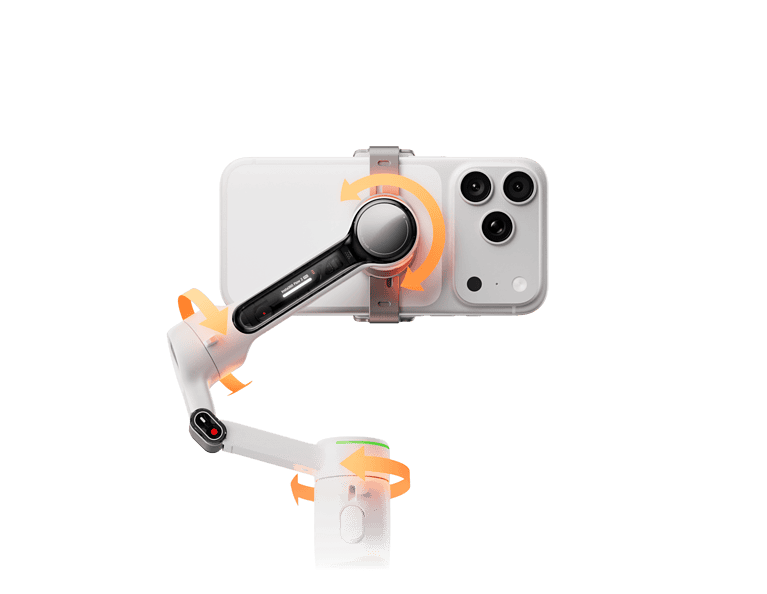
Many action cameras include electronic image stabilization that reduces some apparent movement without an external motorized gimbal. A separate three-axis gimbal can be helpful for deliberate pan and tilt control, but it adds power and camera-compatibility requirements. It also cannot remove every movement of the camera through space. Before buying one, compare a fixed shot with a short ordinary handheld clip and decide what genuinely needs improvement.
Our three-axis gimbal explainer describes pan, tilt and roll, and the benefits guide covers when powered stabilization is worth the added complexity.
Battery, storage and equipment checks
- Use a charged camera and adequate storage for the planned recording duration.
- Check the lens surface and camera housing for obvious issues before recording.
- Confirm the desired aspect ratio and resolution for the final video.
- Record a short test for audio, exposure and framing.
- Keep equipment within the manufacturer’s intended operating conditions.
- Avoid assuming older accessories work with a newer camera body.
Time-lapse and changing scenes
Time-lapse condenses change over time into a shorter visual sequence. It can be effective for gradual changes in light, clouds or a controlled indoor process. Camera-specific interval, resolution and power settings should be taken from the manufacturer’s manual and chosen according to the project. A stable, supervised support helps maintain consistent composition. A motorized gimbal is not essential for many stationary time-lapse recordings.
Why a dramatic filter is not a universal solution
Older action-camera advice often treats a color filter as an automatic image-quality upgrade. In practice, filters change how light reaches the sensor and can introduce unwanted color or exposure trade-offs. Any accessory should be matched to the camera, lighting conditions and intended recording mode. For normal shooting, correct white balance and appropriate light may matter more.

Editing decisions that make videos easier to follow
Trim material that does not advance the story. Group related details, use transitions sparingly and keep text legible on small screens. If narration is part of the film, edit around the words so the viewer can understand the point. The best edit is not always the one with the most effects; clarity is usually more important.
Three common beginner mistakes
- Recording for a long time without checking framing or sound.
- Assuming stabilization can correct poor lighting or an out-of-focus subject.
- Buying accessories before identifying a practical filming need or verifying compatibility.
Frequently asked questions
Do I need a gimbal for a beginner action-camera video?
Not necessarily. A stable support and in-camera stabilization may be enough for basic recordings.
Is a higher frame rate always better?
No. Frame rate changes motion portrayal, light requirements and file size; choose it for the intended output and camera capabilities.
What should I improve first?
Start with clear framing, useful lighting, intelligible audio and editing. Evaluate equipment purchases only after identifying a limitation.
Related guides and editorial notes
More on controlled movement: gimbal movement basics. For compatible equipment categories see action-camera gimbals and smartphone gimbals. This is educational guidance rather than a claim to have tested every camera and accessory described.
Related reading: For outdoor scenery and responsible travel storytelling, consult this related GoGimbals article. For pet harness comfort and framing, consult this related GoGimbals article. For stationary car-video composition, consult this related GoGimbals article. For motorcycle helmet camera safety, consult this related GoGimbals article.